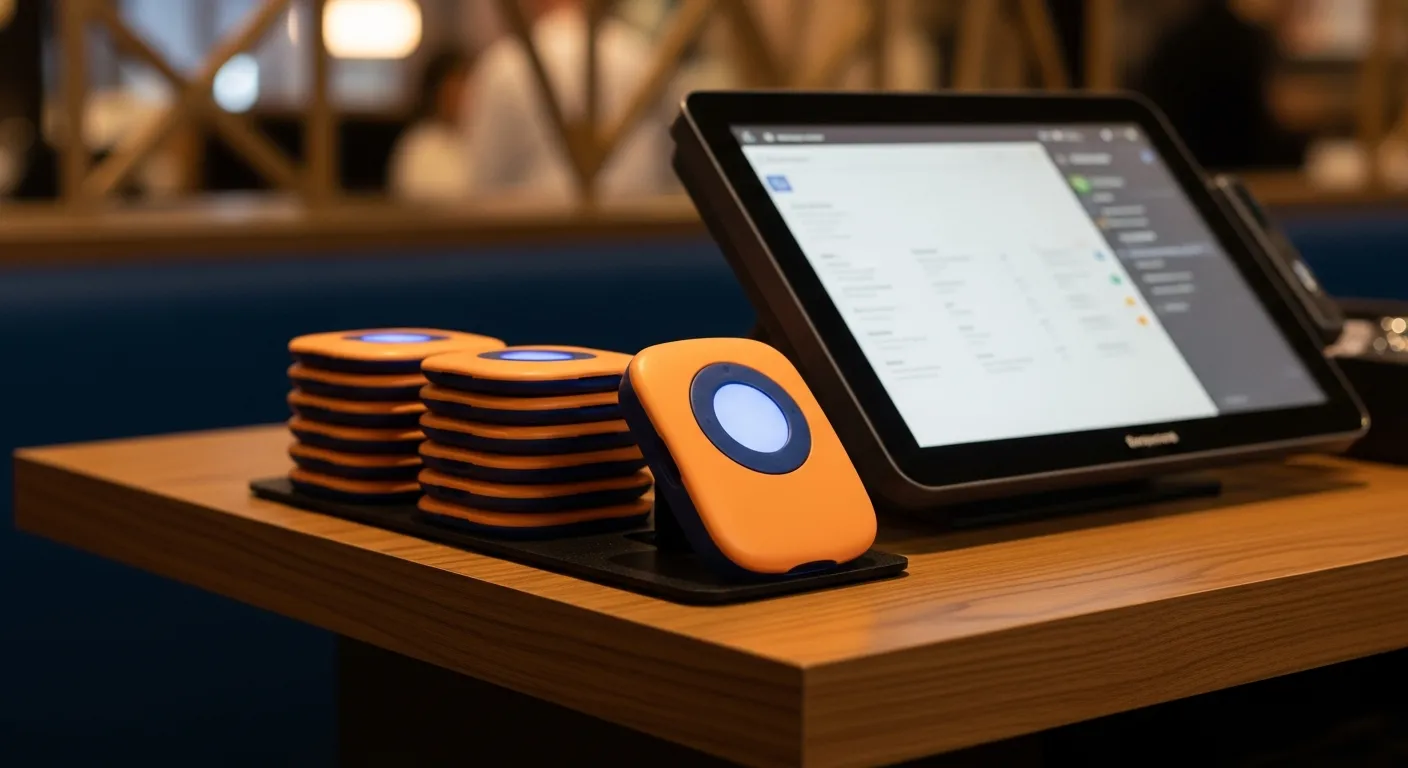
A two-way paging system is a staff communication tool that carries a message and a reply. Where a traditional pager only broadcasts — the kitchen hits a button, a coaster or wearable vibrates, and the sender crosses their fingers — a two-way system closes the circle. The receiver can acknowledge, decline, or answer, and the person who sent the page can see that it landed.
That single change — a return path — sounds minor. In practice it is the line between "I think the food went out" and "I know the food went out." Everything worth reading here comes from what happens once your floor stops guessing whether messages were received.
How a Two-Way Paging System Actually Works
Underneath the marketing, nearly every two-way system runs the same four-part loop. Understanding the loop is what lets you evaluate vendors honestly, because the real differences live in how each step is implemented, not in the pitch deck.
- Send. A staff member triggers a message from a station — a pass-side terminal, a POS screen, or a phone. Crucially, it is targeted: to a specific server, a specific station, or a defined group, not a floor-wide broadcast that everyone learns to tune out.
- Receive. The message reaches the right device: a wearable staff pager, a smartwatch, or the phone already in the team member's apron. Good systems distinguish the alert by role, so a runner's buzz feels different from a manager's.
- Acknowledge. This is the step that defines two-way. The receiver taps back — "got it," "two minutes," or a canned reply — and the sender's screen updates. No reply within a set window, and the system escalates to a backup.
- Log. Every send, receipt, and acknowledgement is timestamped. That record, collected a few thousand times a month, is what turns "the kitchen says servers are slow" into an actual number you can look at.
Notice that steps one through three are the visible workflow and step four is invisible. Most operators evaluate only the first three and ignore the fourth — which is backwards, because the log is the only part that compounds over time.
One-Way vs. Two-Way: The Distinction That Matters
The cleanest way to understand two-way paging is to hold it against the one-way paging most restaurants already run. They are not competitors so much as different tools for different jobs.
What One-Way Paging Does Well
One-way paging is a broadcast, and for its intended job it is excellent. A guest coaster that lights up when a table is ready does not need a reply — the guest simply walks back. One-way hardware is cheap, dead simple, and hard to break. If your only paging need is telling waiting guests to return, a return path adds cost for no benefit, which is exactly why guest-facing paging usually stays one-way or moves to text. Our comparison of a guest paging app vs. a physical pager walks through where each still wins.
Where One-Way Falls Short
The trouble starts the moment the message matters and the sender needs to know it arrived. A one-way page to "table 14's food is up" tells the kitchen nothing about whether a server is on the way. So the food sits under the heat lamp, quality drops by the minute, and the expo ends up walking the floor to find someone — which is the exact manual chase the pager was supposed to eliminate.
What Two-Way Adds
Two-way paging replaces the guess with a confirmation. The expo pages the server, the server taps "coming," and the plate goes out hot. If no acknowledgement comes back in, say, 90 seconds, the system automatically re-routes to a food runner or a manager. The message is still fast, but now it is accountable — and accountability is the whole reason staff coordination breaks down without it. For the guest-facing equivalent of this return-path idea, see how modern text notification compares to wireless pagers.
Where Two-Way Paging Earns Its Keep
Two-way paging is not a single feature so much as a pattern you can apply anywhere a handoff currently depends on shouting or luck. These are the four places operators see it pay off first.
- Kitchen to server (food-up). The flagship use case. Instead of an expo yelling into a dining room, the exact server gets a targeted page and confirms. Studies of ticket-time data routinely show food sitting in the window 2 to 4 minutes on a busy night; a confirmed handoff typically cuts that in half.
- Manager alerts. A server can discreetly page a manager to a table — a comp request, a VIP, a complaint — and know the manager saw it and is coming, without leaving the guest or crossing the floor twice.
- Busser and runner dispatch. A host or server pages the next available busser to a specific table the instant it clears, and the busser acknowledges. Tables reset faster because nobody is waiting to be noticed.
- Bar to floor. Cocktails ready at the service well page the ordering server directly, so drinks stop dying on the rail while a bartender waves.
The through-line in all four is the same: a task that used to depend on someone being in earshot now depends on a device that always is. That is why two-way paging is often bought to solve a "communication problem" and ends up quietly fixing a speed problem.
The Four Numbers That Move
Here is where the return actually shows up. Track these four before and after a rollout and you will know within a month whether the system earned its keep.
- Window time. Minutes a finished plate sits before a server grabs it. Busy kitchens commonly run 2 to 4 minutes at peak with verbal call-outs. Confirmed two-way handoffs typically pull that to under 90 seconds, which is the single biggest lever on food quality perception.
- Acknowledgement rate. The share of pages that get a reply within the target window. This is the health metric of the whole system — a rate below 85 percent usually means the wrong roles are getting paged or the devices are being left on the charger.
- Escalation frequency. How often a page has to bounce to a backup because the first person did not answer. Rising escalations are an early warning that a station is understaffed long before it shows up in guest complaints.
- Manager response time. Minutes between a table flagging an issue and a manager arriving. Restaurants that put this on two-way paging often cut it from the 6-to-10-minute range down to 2 to 3, which measurably softens negative reviews.
Harbor & Vine — Providence, RI
A 140-seat waterfront restaurant with an open kitchen 60 feet from the far corner of the dining room — too loud and too far for the expo's voice to carry on a Saturday.
Before: the expo called out table numbers and hoped. The team timed the window for two weeks and found finished plates averaging 3.4 minutes before a server collected them, with the far section running worse. Managers, meanwhile, learned about table problems only when a server finally tracked them down.
After adding two-way staff paging on the devices they already carried: food-up pages went straight to the assigned server with a one-tap confirmation, and unanswered pages re-routed to a runner after 75 seconds. Window time fell to 1.3 minutes within a month, acknowledgement rate settled at 91 percent, and manager response to flagged tables dropped from an average of 8 minutes to under 3.
Key insight: "We thought we had a kitchen speed problem. We actually had a ‘nobody knew the food was ready’ problem." — Priya Raman, Service Director
Where Two-Way Paging Quietly Fails
Every honest evaluation needs the failure modes, and vendors rarely lead with them. These are the four that show up most often in the first 90 days.
- Alert fatigue. The fastest way to kill a two-way system is to page everyone about everything. When buzzes stop being meaningful, staff stop acknowledging. Targeted, role-based routing is not a nice-to-have — it is the thing that keeps the whole system credible.
- Devices on the charger. A two-way page to a wearable sitting in the back office helps nobody. This is an operational habit, not a technical fault: it is fixed with a pre-shift check, not a support ticket.
- Acknowledgement theater. Staff learn to tap "got it" reflexively without actually moving. Good systems fight this by tying the acknowledgement to the next event — the plate leaving the window, the table being marked reset — so a false confirmation surfaces in the data.
- Nobody reads the log. The most common failure of all. The system records every page and reply, and then no one opens the report. A solved problem stays unsolved by default.
Read that list again and notice how few of the failures are technical. Three of the four are habits, which means they are fixable in a pre-shift meeting rather than a firmware update.
See Why Restaurants Are Switching to KwickOS
KwickOS runs staff paging as part of the same system that runs your floor — targeted food-up alerts from the kitchen display, one-tap confirmations on the devices your team already carries, automatic escalation when a page goes unanswered, and a nightly report showing window time and acknowledgement rate by station. No extra pagers to buy or charge.
Start Your Free Trial →How It Connects to Your POS and Kitchen Display
Two-way paging is at its weakest as a standalone gadget and at its strongest when it is wired into the systems that already know what is happening on your floor. The message does not have to originate with a person pressing a button — it can fire automatically from an event the software already sees.
The most valuable connection is the kitchen display. When a cook bumps a ticket as complete on the kitchen display system, that "done" event can automatically page the server assigned to the table, who confirms with a tap — no expo call-out required. The POS supplies the missing context: which server owns table 14, whether the check is still open, which station the ticket came from. Tie two-way paging into that and every alert carries the information that makes it actionable. Our guide to integrating a paging system with your POS covers the mechanics of that link, and for the broader front-door picture it sits alongside restaurant queue management technology.
Done well, this is what pulls two-way paging out of the "walkie-talkie replacement" category. It stops being a separate device your staff have to remember and becomes an automatic layer on top of the POS and KDS you already run. If you are also using paging to seat guests, the same acknowledgement logic improves table-ready notifications and virtual queue management.
The Bottom Line
A two-way paging system is a small mechanical change — a reply added to an alert — with a disproportionate operational footprint. It gets food out of the window while it is still hot, it puts a manager at the table before a bad moment becomes a bad review, and it leaves behind a timestamped record of who was told what and when.
It will not fix understaffing and it will not speed up a kitchen that is genuinely behind. But if your real problem is that plates die in the window, that managers hear about trouble too late, or that your floor runs on shouting and luck, the fix is not more voices. It is making sure every message that matters is both sent and confirmed.